Intro/Background
I recently needed to configure an IPSec VPN tunnel between two Ubiquiti EdgeRouters. I did some searching, and the documentation was lacking or incomplete. I decided to write a post describing my setup process from start to finish.
In my test setup, I’ve got two Ubiquiti EdgeRouters. One is an EdgeRouter Lite, the other is an EdgeRotuer X, both on firmware 1.9.1 (the most current firmware as of when this was written). Both routers have external IPs on their WAN interfaces, and are not behind any other NAT. Both routers have been configured with the basic WAN+2LAN wizards, which adds a basic stateful firewall and NAT masquerade on the WAN interface. R1 has an external IP of 1.1.1.1 on eth0, and an internal subnet of 192.168.1.0/24. R2 has an external IP of 2.2.2.2 on eth1, and an internal subnet on 10.1.1.0/24. In the real world, you would ideally have static external IPs. This might work using hostnames with dynamic IPs, but I haven’t tested it.
Configuring the tunnel
I found this guide on Ubiquiti’s website, which shows some CLI commands to run. The screenshots of the configurations on that page must be dated though, because some of the commands aren’t correct.
I’m going to start by configuring the tunnels in the routers. SSH into the routers, and apply these commands:
For R1:
configure
set vpn ipsec esp-group vpntunnel
set vpn ipsec esp-group vpntunnel compression disable
set vpn ipsec esp-group vpntunnel proposal 1
set vpn ipsec esp-group vpntunnel proposal 1 encryption aes128
set vpn ipsec esp-group vpntunnel proposal 1 hash sha1
set vpn ipsec ike-group vpntunnel
set vpn ipsec ike-group vpntunnel proposal 1
set vpn ipsec ike-group vpntunnel proposal 1 encryption aes128
set vpn ipsec ike-group vpntunnel proposal 1 hash sha1
set vpn ipsec ipsec-interfaces interface eth0
set vpn ipsec site-to-site peer 2.2.2.2
set vpn ipsec site-to-site peer 2.2.2.2 local-address 1.1.1.1
set vpn ipsec site-to-site peer 2.2.2.2 authentication mode pre-shared-secret
set vpn ipsec site-to-site peer 2.2.2.2 authentication pre-shared-secret SuperSecretKey123
set vpn ipsec site-to-site peer 2.2.2.2 default-esp-group vpntunnel
set vpn ipsec site-to-site peer 2.2.2.2 ike-group vpntunnel
set vpn ipsec site-to-site peer 2.2.2.2 tunnel 1
set vpn ipsec site-to-site peer 2.2.2.2 tunnel 1 esp-group vpntunnel
set vpn ipsec site-to-site peer 2.2.2.2 tunnel 1 local prefix 192.168.1.0/24
set vpn ipsec site-to-site peer 2.2.2.2 tunnel 1 remote prefix 10.1.1.0/24
commit
exit
For R2:
configure
set vpn ipsec esp-group vpntunnel
set vpn ipsec esp-group vpntunnel compression disable
set vpn ipsec esp-group vpntunnel proposal 1
set vpn ipsec esp-group vpntunnel proposal 1 encryption aes128
set vpn ipsec esp-group vpntunnel proposal 1 hash sha1
set vpn ipsec ike-group vpntunnel
set vpn ipsec ike-group vpntunnel proposal 1
set vpn ipsec ike-group vpntunnel proposal 1 encryption aes128
set vpn ipsec ike-group vpntunnel proposal 1 hash sha1
set vpn ipsec ipsec-interfaces interface eth1
set vpn ipsec site-to-site peer 1.1.1.1
set vpn ipsec site-to-site peer 1.1.1.1 local-address 2.2.2.2
set vpn ipsec site-to-site peer 1.1.1.1 authentication mode pre-shared-secret
set vpn ipsec site-to-site peer 1.1.1.1 authentication pre-shared-secret SuperSecretKey123
set vpn ipsec site-to-site peer 1.1.1.1 default-esp-group vpntunnel
set vpn ipsec site-to-site peer 1.1.1.1 ike-group vpntunnel
set vpn ipsec site-to-site peer 1.1.1.1 tunnel 1
set vpn ipsec site-to-site peer 1.1.1.1 tunnel 1 esp-group vpntunnel
set vpn ipsec site-to-site peer 1.1.1.1 tunnel 1 local prefix 10.1.1.0/24
set vpn ipsec site-to-site peer 1.1.1.1 tunnel 1 remote prefix 192.168.1.0/24
commit
exit
Now that we have committed the changes and we have exited configuration mode, we’ll run show vpn ipsec status to check the status of the tunnel on R2.
show vpn ipsec status

IPSec Process Running PID: 11410
0 Active IPsec Tunnels
IPsec Interfaces :
Configuring the WAN_IN firewall to allow IPSec traffic
The tunnel isn’t up! What we have to do now is configure the WAN_LOCAL firewall on both routers to allow IPSec traffic in to the router. Make sure that the firewall rule numbers you configure are higher priority (smaller number) than the default “Drop invalid state” rule.
configure

set firewall name WAN_LOCAL rule 15
set firewall name WAN_LOCAL rule 15 action accept
set firewall name WAN_LOCAL rule 15 description AllowIPSec
set firewall name WAN_LOCAL rule 15 log disable
set firewall name WAN_LOCAL rule 15 protocol udp
set firewall name WAN_LOCAL rule 15 destination port 500,4500

set firewall name WAN_LOCAL rule 16
set firewall name WAN_LOCAL rule 16 action accept
set firewall name WAN_LOCAL rule 16 description AllowESP
set firewall name WAN_LOCAL rule 16 log disable
set firewall name WAN_LOCAL rule 16 protocol esp

commit
exit
Now that I’ve applied the above rules to both routers, let’s try that show vpn ipsec status command again.
show vpn ipsec status

IPSec Process Running PID: 11140
1 Active IPsec Tunnels
IPsec Interfaces :
The tunnel is now up! Let’s try to ping the local IP of R1 from R2.
ping 192.168.1.1

PING 192.168.1.1 (192.168.1.1) 56(84) bytes of data.
^C
--- 192.168.1.1 ping statistics ---
6 packets transmitted, 0 received, 100% packet loss, time 5008ms
No responses were received, so I interrupted the pings with control-c. The requests timed out. Let’s see if the traffic is actually traversing the tunnel. We’ll check this by running show vpn ipsec sa on R2.
show vpn ipsec sa

peer-1.1.1.1-tunnel-1: #2, ESTABLISHED, IKEv1, bb126d66e9ca4bdf:f2fccad0bcf04771
  local  '2.2.2.2' @ 2.2.2.2
  remote '1.1.1.1' @ 1.1.1.1
  AES_CBC-128/HMAC_SHA1_96/PRF_HMAC_SHA1/MODP_1024
  established 246s ago, reauth in 27505s
  peer-1.1.1.1-tunnel-1: #1, INSTALLED, TUNNEL, ESP:AES_CBC-128/HMAC_SHA1_96/MODP_1024
    installed 246 ago, rekeying in 2298s, expires in 3354s
    in  caa4c413,      0 bytes,     0 packets
    out ccaa54eb,      0 bytes,     0 packets
    local  10.1.1.0/24
    remote 192.168.1.0/24
Adding NAT Masquerade exclusion rules
Why are there 0 packets going out when I’m trying to ping across the tunnel? The packets need to be excluded from the NAT masquerade.
For R1:
configure
set service nat rule 5001
set service nat rule 5001 description ExcludeIPSecTunnel
set service nat rule 5001 inbound-interface eth0
set service nat rule 5001 log disable
set service nat rule 5001 protocol all
set service nat rule 5001 type masquerade
set service nat rule 5001 destination address 10.1.1.0/24
set service nat rule 5001 exclude
commit
exit
For R2:
configure
set service nat rule 5001
set service nat rule 5001 description ExcludeIPSecTunnel
set service nat rule 5001 inbound-interface eth1
set service nat rule 5001 log disable
set service nat rule 5001 protocol all
set service nat rule 5001 type masquerade
set service nat rule 5001 destination address 192.168.1.0/24
set service nat rule 5001 exclude
commit
exit
You may also have to recreate the default NAT masquerade with a lower priority (higher number) than this NAT exclusion rule. NAT masquerade rules need to be between 5000-10000. In this example, my default NAT masquerade on my WAN interface eth0 on R1 is rule 5000. I’m going to delete rule 5000 and recreate it as rule 5002, which is lower priority than the rule I created in the previous step.
For R1:
configure
delete service nat rule 5000
set service nat rule 5002
set service nat rule 5002 outbound-interface eth0
set service nat rule 5002 type masquerade
commit
exit
For R2:
configure
delete service nat rule 5000
set service nat rule 5002
set service nat rule 5002 outbound-interface eth1
set service nat rule 5002 type masquerade
commit
exit
Let’s try pinging the local IP of R1 from R2 again.
ping 192.168.1.1

PING 192.168.1.1 (192.168.1.1) 56(84) bytes of data.
^C
--- 192.168.1.1 ping statistics ---
5 packets transmitted, 0 received, 100% packet loss, time 4006ms
Pings still aren’t going through, so I interrupted the pings. Let’s check the VPN tunnel stats on R2 with show vpn ipsec sa.
show vpn ipsec sa

peer-1.1.1.1-tunnel-1: #2, ESTABLISHED, IKEv1, bb126d66e9ca4bdf:f2fccad0bcf04771
  local  '2.2.2.2' @ 2.2.2.2
  remote '1.1.1.1' @ 1.1.1.1
  AES_CBC-128/HMAC_SHA1_96/PRF_HMAC_SHA1/MODP_1024
  established 2280s ago, reauth in 25471s
  peer-1.1.1.1-tunnel-1: #1, INSTALLED, TUNNEL, ESP:AES_CBC-128/HMAC_SHA1_96/MODP_1024
    installed 2280 ago, rekeying in 264s, expires in 1320s
    in  caa4c413,      0 bytes,     0 packets
    out ccaa54eb,    420 bytes,     5 packets,     4s ago
    local  10.1.1.0/24
    remote 192.168.1.0/24
Allowing traffic from remote subnet through firewall
Progress! Pings are now traveling out the IPSec tunnel, but nothing is coming back. Now we’ll add rules to the WAN_IN and WAN_LOCAL firewalls on both routers to allow traffic in from the remote subnets. The WAN_LOCAL rule will allow us to communicate with the router on the other side of the tunnel, and the WAN_IN rule will allow us to communicate with the rest of the devices in that remote subnet. In the commands below, I’ve given the rules number 18. Make sure that 18 is higher priority (lower number) than the default drop invalid state rule.
For R1:
configure
set firewall name WAN_LOCAL rule 18
set firewall name WAN_LOCAL rule 18 action accept
set firewall name WAN_LOCAL rule 18 description AllowVPNsubnet
set firewall name WAN_LOCAL rule 18 log disable
set firewall name WAN_LOCAL rule 18 protocol all
set firewall name WAN_LOCAL rule 18 source address 10.1.1.0/24

set firewall name WAN_IN rule 18
set firewall name WAN_IN rule 18 action accept
set firewall name WAN_IN rule 18 description AllowVPNsubnet
set firewall name WAN_IN rule 18 log disable
set firewall name WAN_IN rule 18 protocol all
set firewall name WAN_IN rule 18 source address 10.1.1.0/24
commit
exit
For R2:
configure
set firewall name WAN_LOCAL rule 18
set firewall name WAN_LOCAL rule 18 action accept
set firewall name WAN_LOCAL rule 18 description AllowVPNsubnet
set firewall name WAN_LOCAL rule 18 log disable
set firewall name WAN_LOCAL rule 18 protocol all
set firewall name WAN_LOCAL rule 18 source address 192.168.1.0/24

set firewall name WAN_IN rule 18
set firewall name WAN_IN rule 18 action accept
set firewall name WAN_IN rule 18 description AllowVPNsubnet
set firewall name WAN_IN rule 18 log disable
set firewall name WAN_IN rule 18 protocol all
set firewall name WAN_IN rule 18 source address 192.168.1.0/24
commit
exit
Now I’m able to ping the router and a remote device across the IPSec tunnel. Here’s a test ping from R2 to a device in R1’s private subnet.
ping 192.168.1.2

PING 192.168.1.2 (192.168.1.2) 56(84) bytes of data.
64 bytes from 192.168.1.2: icmp_req=1 ttl=127 time=16.5 ms
64 bytes from 192.168.1.2: icmp_req=2 ttl=127 time=19.9 ms
64 bytes from 192.168.1.2: icmp_req=3 ttl=127 time=18.9 ms
64 bytes from 192.168.1.2: icmp_req=4 ttl=127 time=17.1 ms
64 bytes from 192.168.1.2: icmp_req=5 ttl=127 time=20.5 ms
Conclusion
Finally, once everything is tested to be working properly, you’ll want to save your configs. I’ve intentionally not saved my configs, just in case I mess something up and need to revert back. When you save, your configurations will be retained after reboots. To save, enter:
configure
save
exit
For fun, I set up a continuous ping on the Windows machine (192.168.1.2) and pinged a network printer (10.1.1.2) in the remote subnet over the span of a few days.
Ping statistics for 10.1.1.2:
Packets: Sent = 311538, Received = 311242, Lost = 296 (0% loss),
Approximate round trip times in milli-seconds: Minimum = 9ms, Maximum = 1165ms, Average = 24ms
There were very few dropped packets, so I consider this tunnel to be pretty stable. Both sites have pretty stable internet connections.
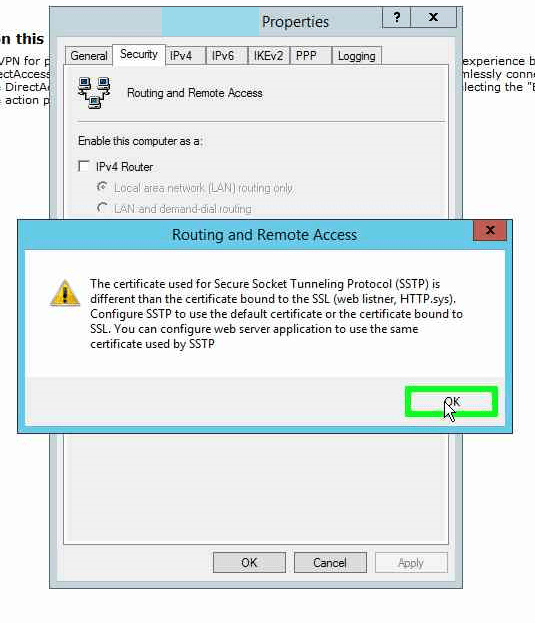
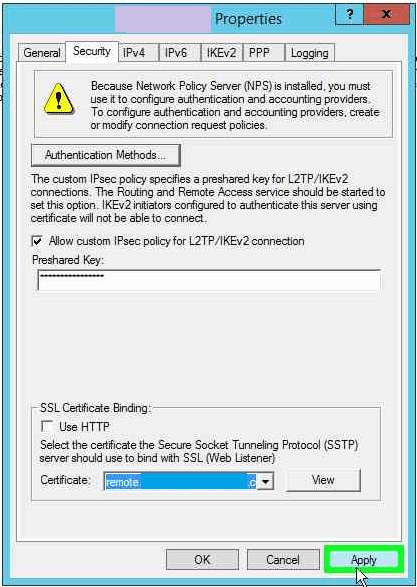
You will need to modify the commands above accordingly to match your unique environment. Also, many/all of the above commands can be done in the GUI, too. The following is provided only as a reference. As always, test in a lab environment first!






 Nigmenog.com